Business email administration in one panel.

From connecting a domain to migrating existing mail, everything is handled in the same panel. The features below are available today.

Domain

Your own domain
Addresses are created on your domain, such as info@yourcompany.com.
Ready-made DNS records
DKIM, Return-Path and DMARC values are provided in the panel; you only need to enter them at your domain provider.
Verification from the panel
Once the records are entered, the panel checks them and shows the result.
DMARC record generation
You select the policy; the panel produces the correct TXT record.

Mailboxes

Per-mailbox quota
Each mailbox has its own storage allocation, visible in the panel.
Display name
The sender name on outgoing mail is set when the mailbox is created.
Password reset
Mailbox passwords are changed from the panel.
Extra storage
Additional storage can be assigned to a mailbox that fills up.

Migration

Transfer over IMAP
Enter the old account's IMAP details; mail and folders are copied to the new mailbox.
The source is preserved
Migration is a copy operation; mail in the old account is not deleted.
Progress tracking
The status of each migration is shown in the panel.

Access

Webmail
Accessible from the browser with nothing to install.
Email apps
Works with Outlook, Apple Mail, Thunderbird, iPhone and Android over IMAP and SMTP.
Setup guide
Server settings and step-by-step instructions per device are available in the panel.

Security

Spam and virus scanning
Incoming mail is scanned before it is delivered to a mailbox.
Encrypted connections
IMAP and SMTP connections use SSL/TLS.
Two-step verification
The panel account is protected with an authenticator app and recovery codes.
SPF, DKIM and DMARC
Makes it harder to send forged mail in your domain's name.

Billing

Priced per mailbox
You pay for the number of mailboxes you open.
TRY, USD or EUR
You choose the payment currency.
Monthly or yearly
You choose the billing period.
Payment history
Your payments are listed on the subscription screen.

All administration in one panel

The images below are actual screens from the panel.

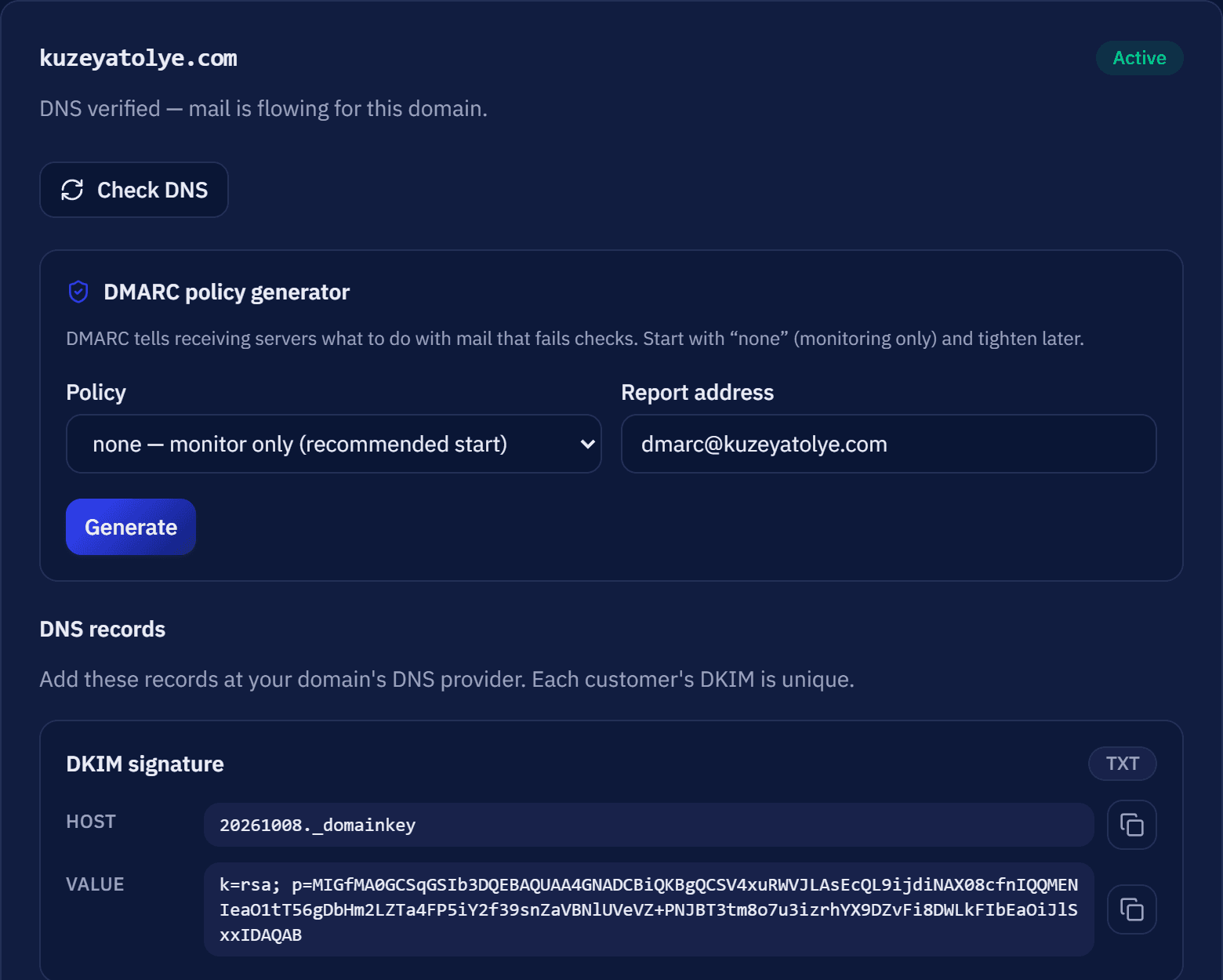
Connect your domain; the panel provides the DNS records.

When you add your domain, the DKIM, Return-Path and DMARC values are generated for you. You enter them at your domain provider and verify them from the panel in one step.
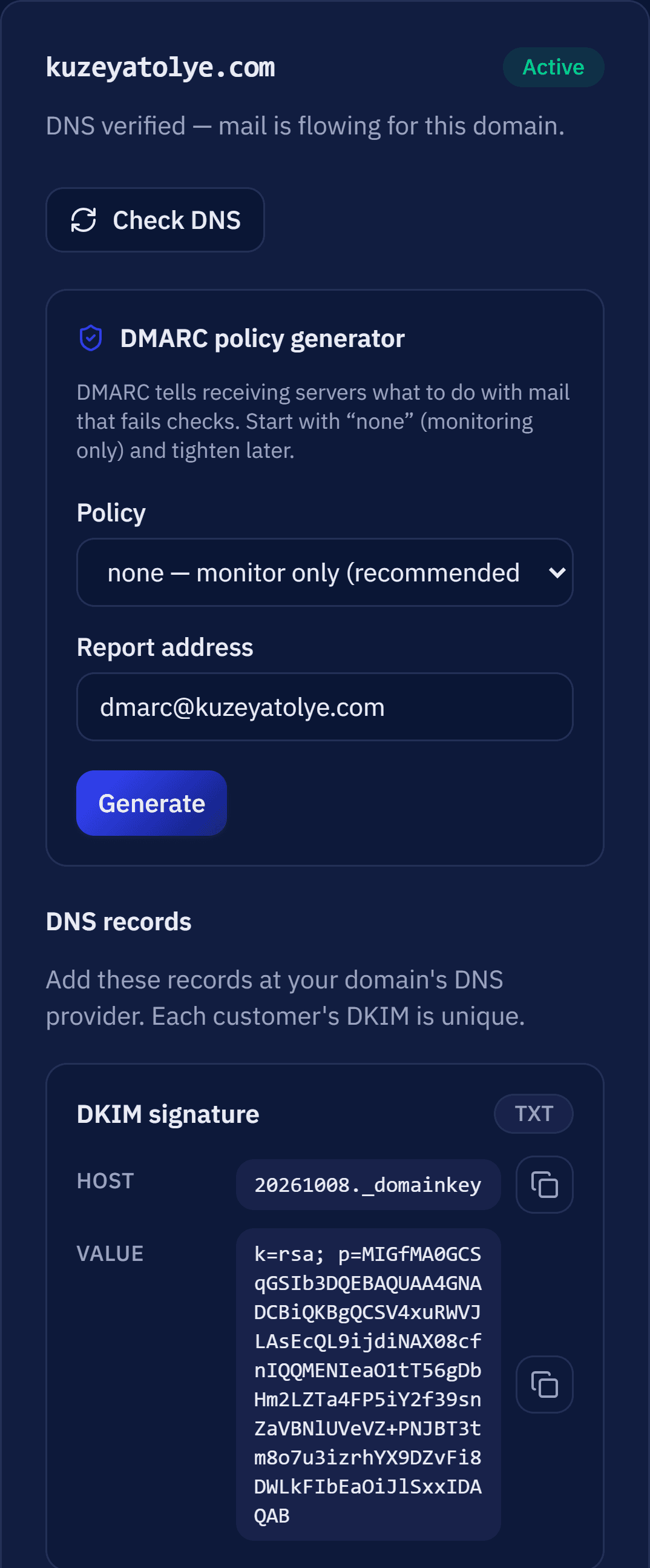
MailDots panel, Domains screen: kuzeyatolye.com is active, DNS verified; DKIM, Return-Path and DMARC records ready to copy.

Compatible with the apps you already use.

Use it with Outlook, Apple Mail, Thunderbird, iPhone and Android, or sign in to webmail from the browser.

Incoming mail
imap.maildots.com
IMAP 993
Outgoing mail
smtp.maildots.com
SMTP 465
Webmail
mail.maildots.com
HTTPS 443
Setup guide

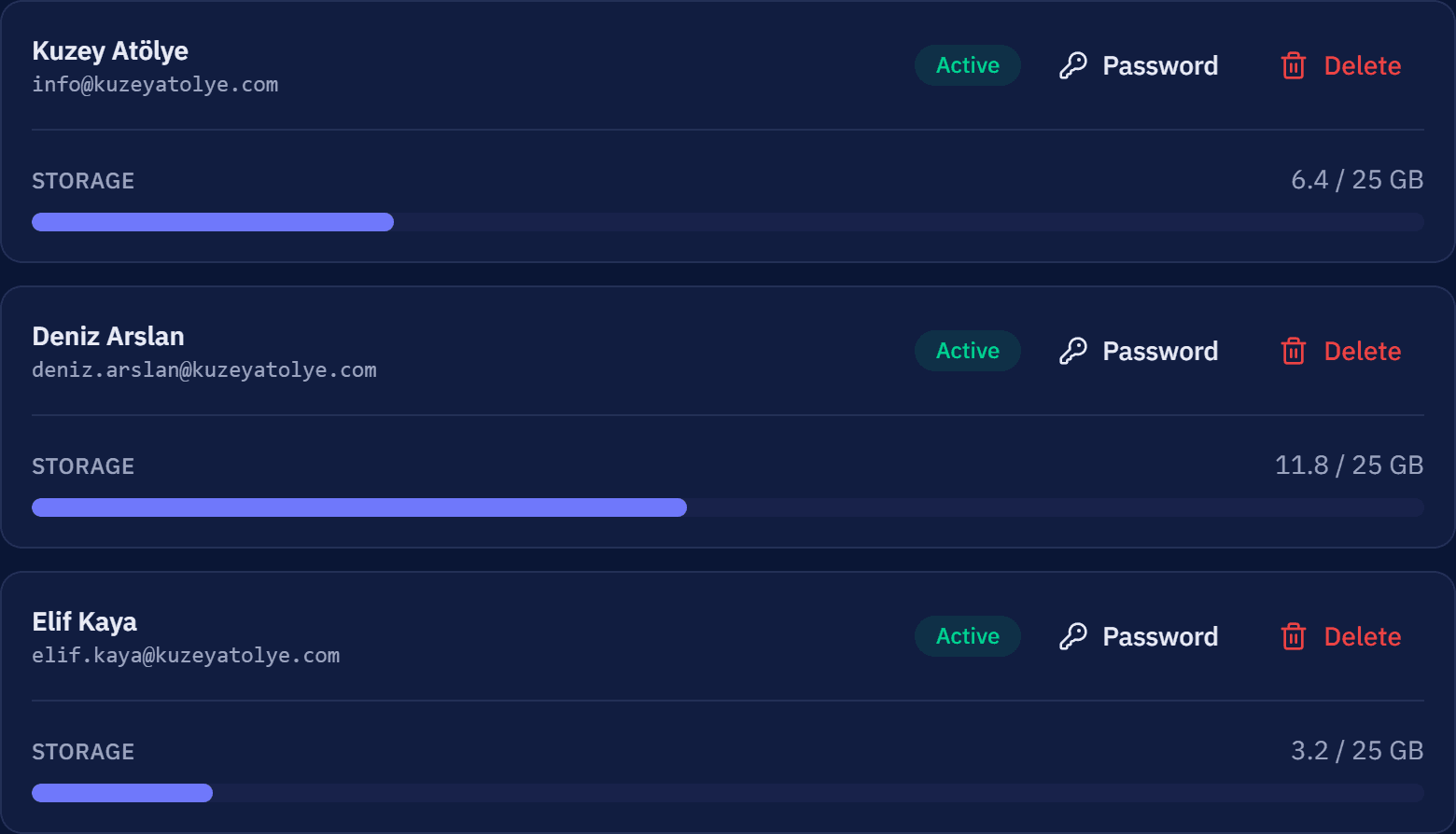
A separate address for each employee, a separate quota for each mailbox.

When creating a mailbox you set the display name, storage and password. When staff change, you reset the password or close the mailbox on the same screen.
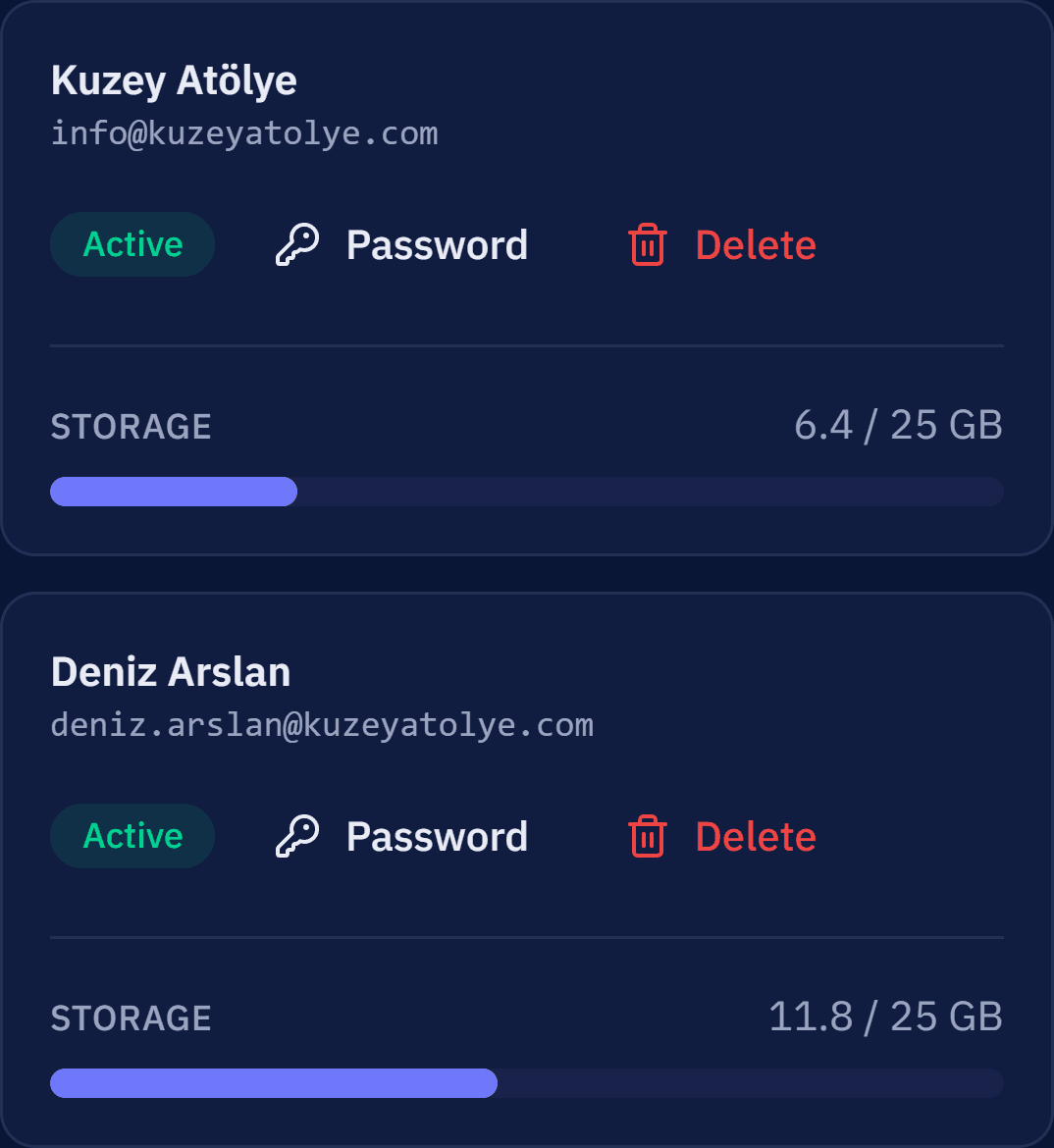
MailDots panel, mailbox list: info, deniz.arslan and elif.kaya addresses are active, each with a 25 GB quota.
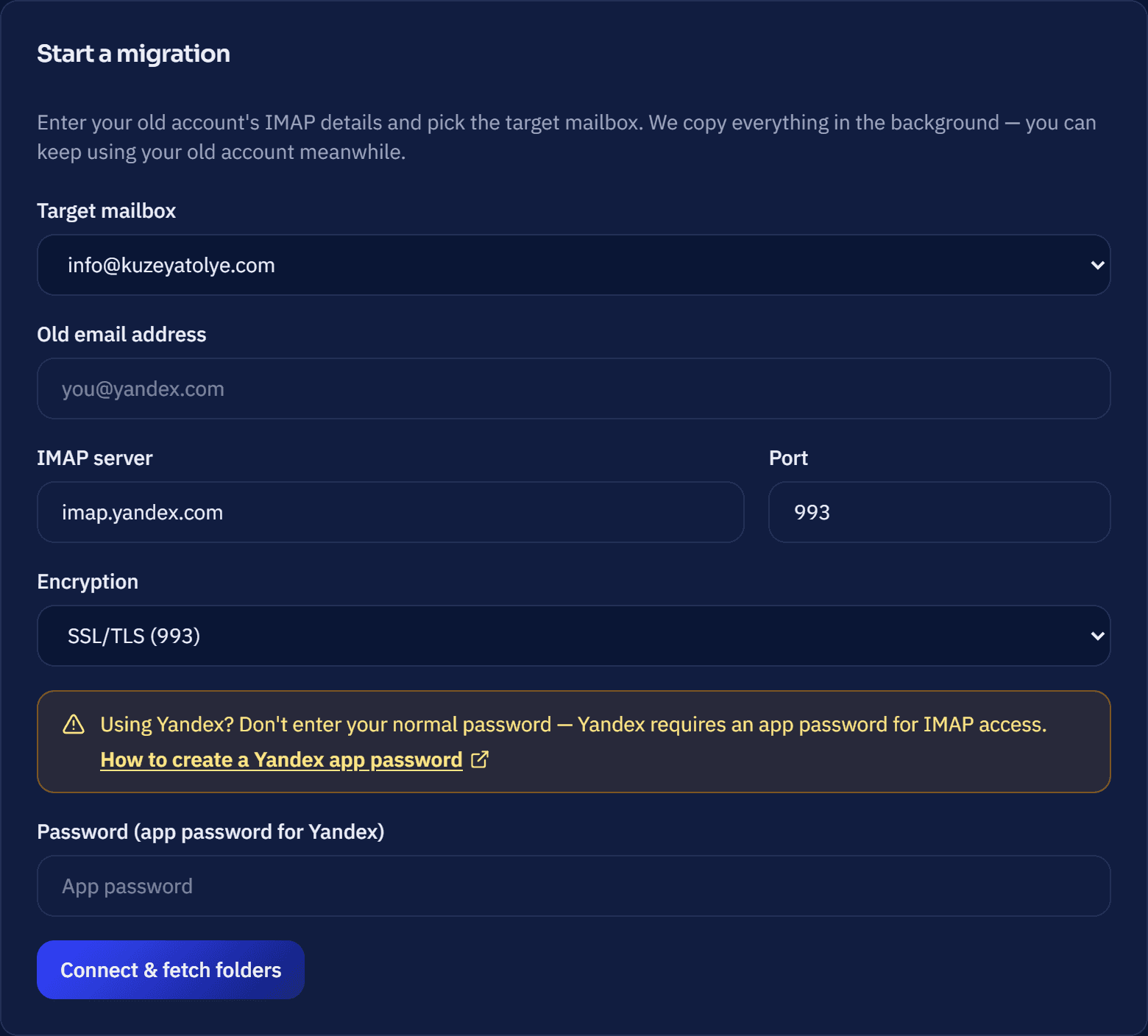
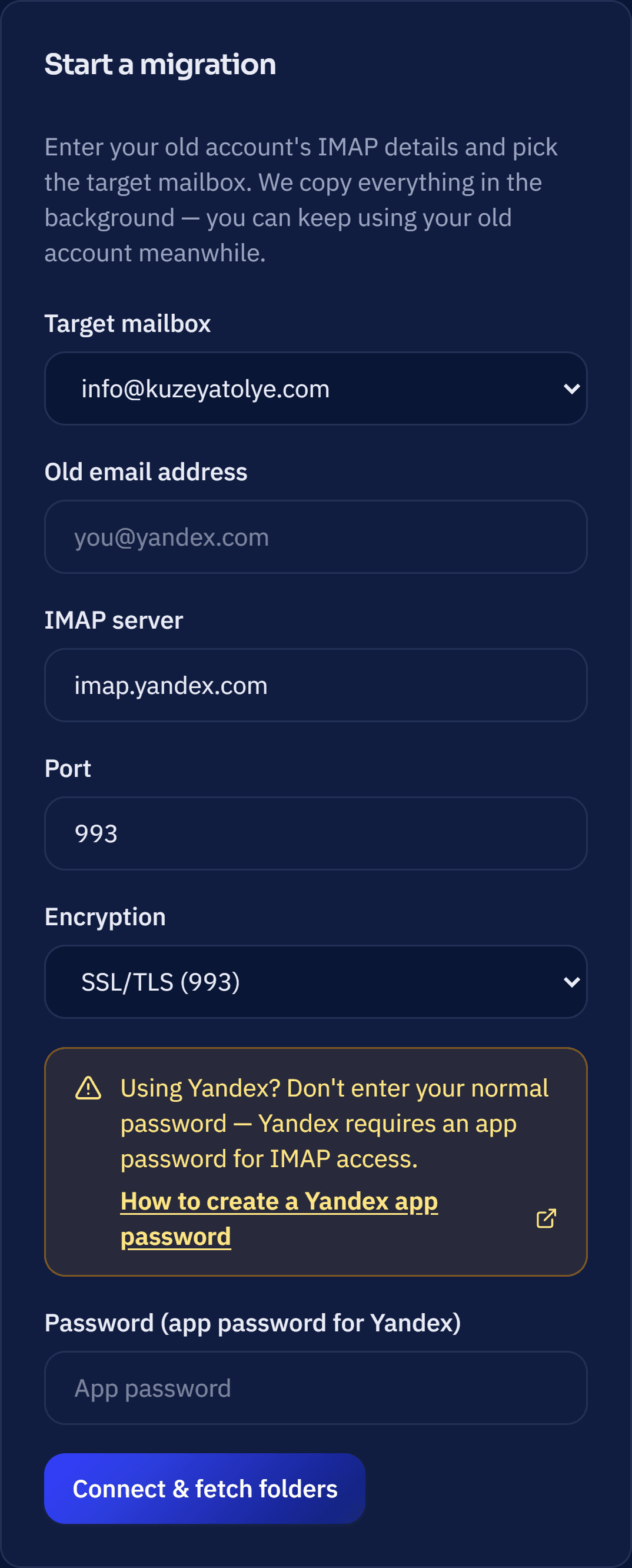
MailDots panel, Mail Migration form: destination info@kuzeyatolye.com, IMAP server imap.yandex.com, port 993.

Your existing mail moves to your new mailbox.

Enter the IMAP details of your old account and choose the target mailbox. Mail and folders are copied in the background. You can keep using your old account during migration; mail in the source mailbox is not deleted.

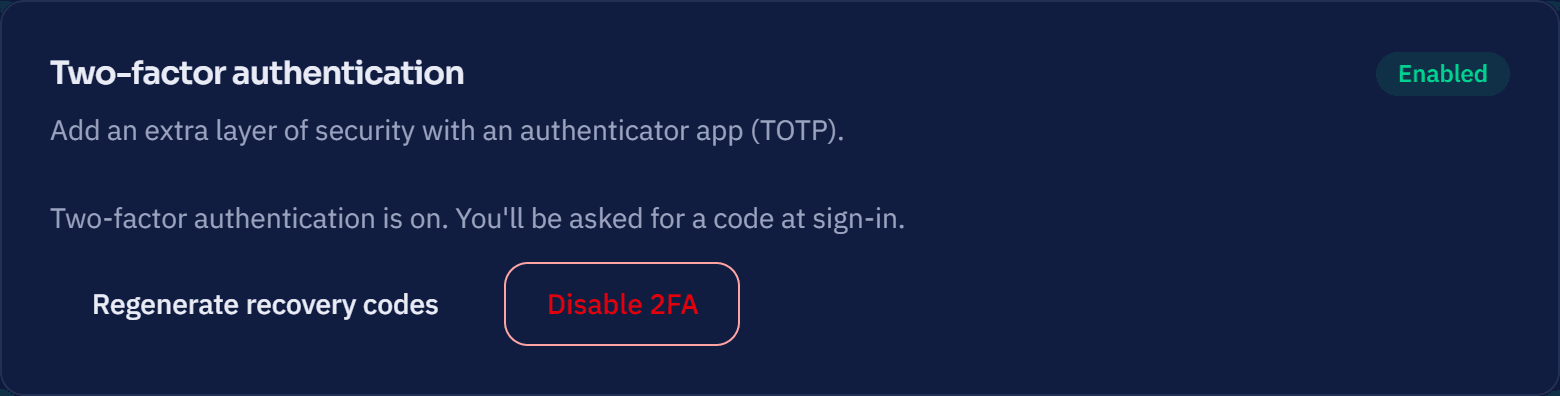
Security is included as standard.

Your mail is encrypted in transit. You can protect your panel account with two-step verification; SPF, DKIM and DMARC records make it harder to send forged mail in your domain's name.
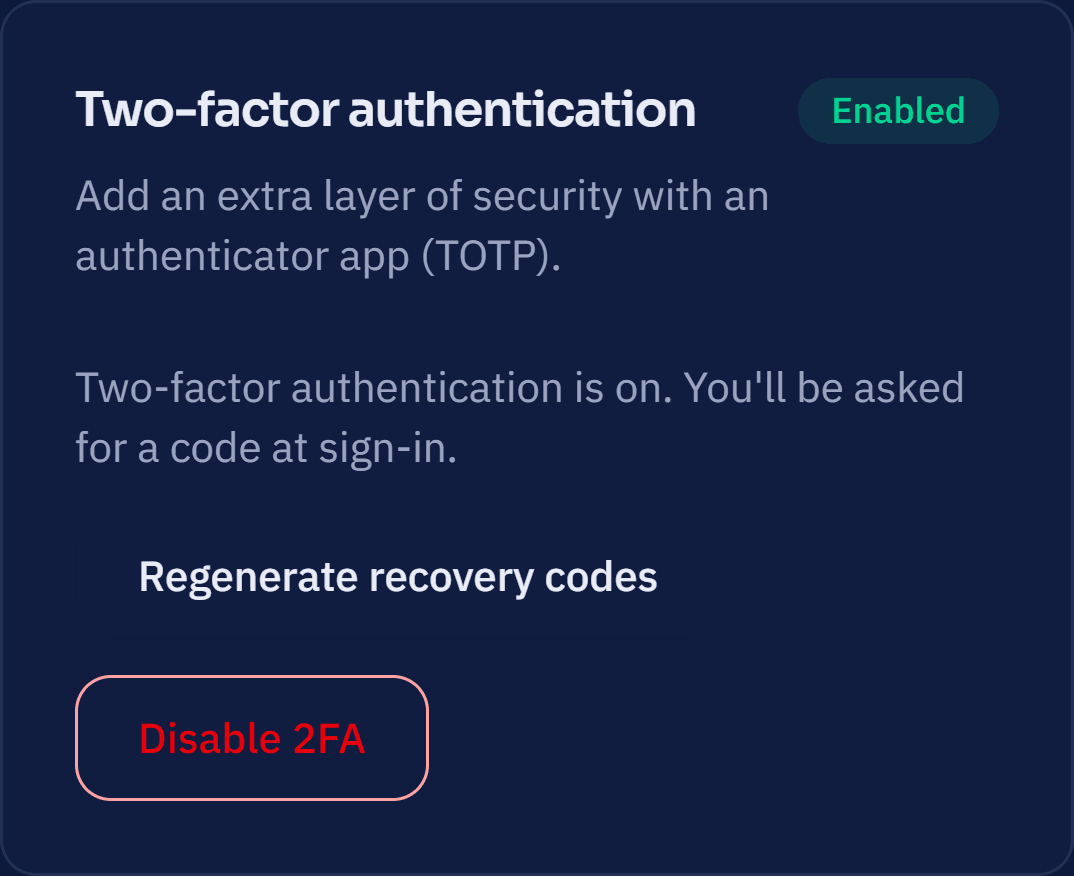
MailDots panel, Settings screen: two-factor authentication is active, with buttons to regenerate recovery codes and turn 2FA off.

If your domain is ready, you can start today.

Open your account, connect your domain and create your first mailbox.